1. Introduction
Every file you use on your phone or computer has a format. Whether it is a document, image, video, or spreadsheet, each file type follows a specific structure called a file format.
In this guide, you will understand what file formats are, why they matter, and how different formats like PDF, DOCX, JPG, and PNG are used in everyday digital work.
2. What is a File Format?
A file format is the way data is stored inside a file. It tells your device how to open, read, and display that file.
For example:
- A Word file uses DOCX format
- An image may use JPG or PNG format
- A document may use PDF format
Each format is designed for a specific purpose.
3. Why File Formats Are Important
File formats matter because they control:
- How a file opens
- Whether it can be edited
- File size and quality
- Compatibility with devices
- Sharing and storage efficiency
Without formats, computers would not understand files correctly.
4. Common File Formats Explained
Documents
- DOCX: Microsoft Word editable file
- PDF: Fixed layout document for sharing
- TXT: Simple text file with no formatting
Images
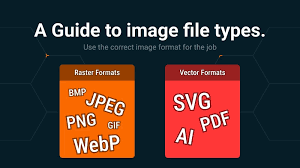
- JPG: Compressed image format, good for photos
- PNG: High-quality image with transparency support
- WEBP: Modern image format with small size
Spreadsheets
- XLSX: Microsoft Excel file
- CSV: Simple data file used for tables
Presentations
- PPTX: Microsoft PowerPoint file
- PDF: Also used for slides sharing
5. Difference Between Popular File Formats
PDF vs DOCX
- PDF: Not easily editable, best for sharing
- DOCX: Fully editable in Word
JPG vs PNG
- JPG: Smaller file size, lower quality
- PNG: Higher quality, supports transparency
6. When Should You Use Different File Formats?
- Use PDF for official documents and sharing
- Use DOCX for editing documents
- Use JPG for photos and images
- Use PNG for logos and transparent images
7. File Format Compatibility Issues
Sometimes files don’t open because:
- The device does not support the format
- Missing software
- Old file version
- Corrupted file
This is where file conversion tools become useful.
8. Why Understanding File Formats is Important
Understanding file formats helps you:
- Choose the right format for work
- Avoid file errors
- Improve sharing speed
- Reduce file size
- Work efficiently across devices
9. Conclusion
File formats are the foundation of digital files. Knowing how they work helps you manage documents, images, and data more efficiently. With tools like convert2anyfile.com, you can easily switch between formats whenever needed.